
Thermostat Settings Summer: 5 Mistakes FL Homeowners Make
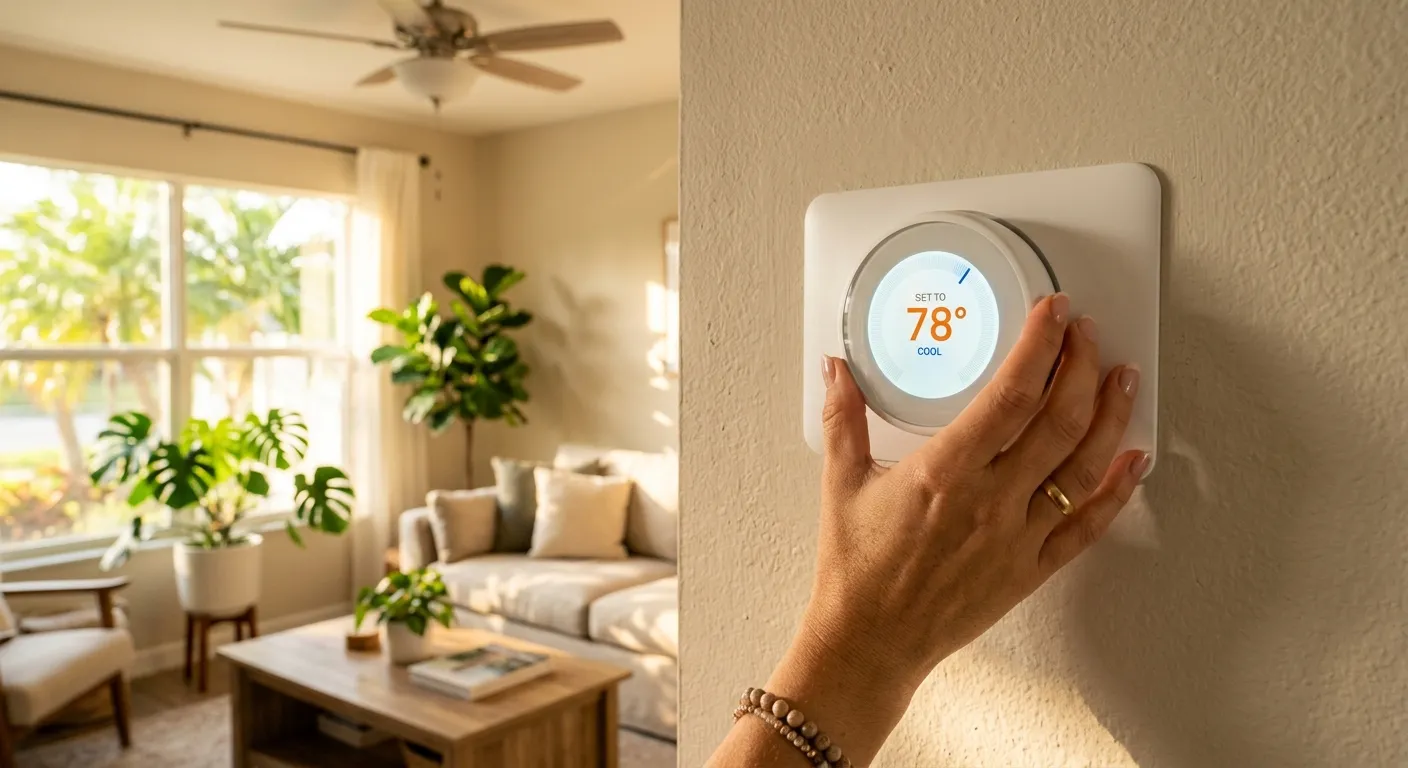
The best thermostat settings for summer in Florida start at 78 degrees when you're home, and most Pinellas County homeowners are setting theirs wrong. Between cranking the AC down to arctic levels and turning it off completely while at work, these common thermostat mistakes can add hundreds of dollars to your annual cooling bill and put unnecessary stress on your air conditioning system.
After years of servicing homes across St. Petersburg, Clearwater, and Largo, the Killian's Air Conditioning team sees the same five thermostat settings mistakes every summer. Here's what they are, what they cost you, and how to fix each one today.
| Mistake | What Happens | Quick Fix |
|---|---|---|
| Cranking thermostat to 68F | Higher bills, compressor strain | Set to 78F and let it catch up |
| Turning AC off while away | Humidity spike, mold risk | Raise setpoint 5-7 degrees instead |
| Not using a schedule | Cooling an empty house all day | Program 4 daily time blocks |
| Closing vents in unused rooms | Pressure imbalance, duct damage | Leave all vents open or add zoning |
| Ignoring humidity settings | Muggy air even at low temps | Switch fan from ON to AUTO |
Why Your Thermostat Settings Matter More in Florida's Summer Heat
Florida's cooling season runs roughly seven months, from April through October. Your AC handles more runtime hours than systems in most other states. That means small thermostat settings mistakes compound into big energy waste over a long summer.
The U.S. Department of Energy recommends setting your thermostat to 78 degrees Fahrenheit when you're home and awake. In Pinellas County, where summer highs regularly hit the mid-90s with 70%+ humidity, your AC is already working hard to maintain that 78-degree target.
Every degree you drop below 78F costs roughly 3-4% more on your cooling bill. That may not sound like much, but over a Florida summer, those degrees add up fast.
The good news: fixing these thermostat settings mistakes doesn't require new equipment. Most solutions take less than five minutes at your thermostat.
Mistake 1: Cranking the Thermostat Down to 68 When You Get Home
You walk into a warm house after work, and the first instinct is to slam the thermostat down to 68 or 70 degrees. The logic seems sound: a lower setpoint should cool the house faster.
It doesn't work that way. Your air conditioning system cools at a fixed rate regardless of what number you punch in. A central AC removes heat at the same speed whether the thermostat is set to 78 or 62. The only difference is how long the system runs and how much energy it consumes.
Setting the thermostat to 68F in a house that's 85F inside means your system will run nonstop until it reaches that target. That's hours of continuous operation, higher electricity usage, and extra wear on the compressor.
How Much Extra You Pay by Over-Cooling
The math is straightforward. Using the DOE's 3-4% estimate per degree below 78F, here's what over-cooling costs for a typical Pinellas County home:
| Thermostat Setting | Degrees Below 78F | Estimated Cost Increase | Est. Monthly Impact* |
|---|---|---|---|
| 78F (recommended) | 0 | Baseline | $0 |
| 76F | 2 | 6-8% | $12-$18 |
| 74F | 4 | 12-16% | $24-$36 |
| 72F | 6 | 18-24% | $36-$54 |
| 70F | 8 | 24-32% | $48-$72 |
| 68F | 10 | 30-40% | $60-$90 |
*Based on an average summer cooling cost of $200-$225/month in the Tampa Bay area.
The fix: Set your thermostat to 78F when you get home. If the house is warm, it will reach 78 in roughly the same time whether you set it to 78 or 62. Use ceiling fans to feel cooler without lowering the setpoint.
Mistake 2: Turning the AC Off Completely While You're at Work
This seems like an easy way to save money. If nobody's home for eight or nine hours, why run the AC? In moderate climates, turning off the system might make sense. In Florida, it creates two expensive problems.
Problem one: recovery energy. When your house heats up to 90+ degrees inside, the AC has to work at full capacity for hours to bring the temperature back down. The energy used during that recovery period often exceeds what you would have spent keeping the house at a higher but maintained temperature.
Problem two: humidity. This is the bigger issue for Florida homeowners, and it's the one most people overlook.
The Humidity Problem Nobody Talks About
When your AC runs, it removes moisture from the air as a natural byproduct of the cooling process. When the system is off for hours during a humid Florida day, indoor humidity can climb well above 60%.
High indoor humidity creates real problems:
- Mold growth can start within 24-48 hours at humidity levels above 60%
- Wood flooring and furniture can warp, swell, or develop mildew
- Dust mites thrive in humid environments, worsening allergies
- The house feels hotter because humid air holds more heat against your skin
The ideal indoor humidity range is 30-50% relative humidity. In St. Petersburg's summer, outdoor humidity regularly exceeds 75%. Your AC is the primary tool keeping indoor levels in check.
The fix: Raise your thermostat 5-7 degrees above your comfort setting when you leave. If you normally keep the house at 78F, set it to 83-85F while at work. The system cycles enough to manage humidity without cooling an empty house to full comfort levels.
For more strategies on managing indoor moisture, check out our guide on how to reduce humidity in your house.
Is Your AC Keeping Up with Florida's Heat?
If your system struggles to hold temperature or your bills keep climbing, a professional tune-up can make a big difference. Killian's Air Conditioning serves Pinellas County with honest, expert HVAC service.
Call (727) 591-4776 to schedule a summer AC checkup.
Mistake 3: Ignoring Programmable Thermostat Schedules
Most thermostats sold in the last decade have programmable scheduling, and most homeowners never set it up. The thermostat stays at one temperature all day, every day, cooling an empty house to full comfort while everyone is at work or school.
The Department of Energy estimates that using a programmable thermostat schedule can save about 10% on heating and cooling costs annually. For a typical Pinellas County household spending $2,400-$2,700 per year on cooling, that's $240-$270 back in your pocket.
Smart thermostats take it further. Devices like the Ecobee, Google Nest, and Honeywell Home T9 can learn your patterns, use geofencing to detect when you leave, and adjust automatically. Some models report energy savings of 15-20% compared to maintaining a single setpoint all day.
A Sample Summer Schedule for Pinellas County Homes
Here's a practical programmable thermostat schedule for a typical Florida household:
| Time Block | Scenario | Recommended Setting | Fan Mode |
|---|---|---|---|
| 6:00 AM - 8:00 AM | Waking up, getting ready | 78F | AUTO |
| 8:00 AM - 5:00 PM | Away at work/school | 83-85F | AUTO |
| 5:00 PM - 10:00 PM | Home for the evening | 78F | AUTO |
| 10:00 PM - 6:00 AM | Sleeping | 76-78F | AUTO |
Pro tip: If you have a smart thermostat, enable the "home/away" detection feature. It adjusts automatically when the last person leaves the house, no schedule needed. Many Seminole and Pinellas Park homeowners we've worked with find this feature alone justifies the upgrade cost.
Mistake 4: Setting Different Temperatures in Every Room Without Zoning
Closing air vents in unused rooms to redirect cooling elsewhere is one of the most persistent HVAC myths. It seems logical: close the vent in the guest bedroom, and more cold air should flow to the living room.
The reality is the opposite. Your AC system and ductwork are designed to distribute air evenly across all supply vents. Closing vents creates back-pressure in the ducts, which can cause:
- Increased static pressure on the blower motor, reducing efficiency and lifespan
- Duct leaks from excess pressure pushing air through seams and joints
- Uneven temperatures in the rooms that are still open
- Frozen evaporator coils from reduced airflow across the indoor coil
If you genuinely need different temperatures in different rooms, the right solution is an HVAC zoning system. Zoning uses motorized dampers in the ductwork and multiple thermostats to direct cooling where it's needed, without the pressure problems caused by closing vents.
The fix: Open all vents in your home, even in rooms you rarely use. If temperature differences between rooms are significant, have an HVAC technician evaluate your ductwork and discuss zoning options.
Mistake 5: Never Adjusting Thermostat Settings for Humidity Control
Temperature is only half the comfort equation in Florida. You can set your thermostat to 74F and still feel sticky and uncomfortable if the indoor humidity is above 55%.
Many homeowners chase comfort by lowering the temperature further, which costs more money and still doesn't solve the humidity problem. The real fix often involves a simple thermostat setting that most people overlook.
Fan Setting: AUTO vs. ON
Your thermostat's fan setting has a major impact on humidity control. Here's why:
- AUTO mode: The fan runs only when the AC compressor is actively cooling. Between cycles, the fan stops, and moisture on the evaporator coil drips into the drain pan and exits the home. This is how your AC dehumidifies.
- ON mode: The fan runs continuously, even between cooling cycles. This blows air across the wet evaporator coil, re-evaporating moisture back into your home's air. Your AC removes the same humidity over and over without actually lowering it.
Switching from ON to AUTO can drop indoor humidity by 5-10 percentage points with zero cost and zero equipment changes. We recommend AUTO mode for virtually every home in the Tampa Bay area during summer.
Some newer systems also offer a dedicated "Dry" or "Dehumidify" mode that runs the compressor at lower speeds specifically to remove moisture. If your system has this feature, use it during especially humid stretches in June through September.
Best Thermostat Temperature Settings for Summer in Florida
Here's a quick-reference table for the best thermostat settings in summer across common scenarios:
| Scenario | Temperature | Fan Mode | Notes |
|---|---|---|---|
| Home during the day | 78F | AUTO | Use ceiling fans to feel 4F cooler |
| Away at work | 83-85F | AUTO | Keeps humidity managed |
| Sleeping | 76-78F | AUTO | Cooler temps improve sleep quality |
| Extended vacation (1+ week) | 82-84F | AUTO | Prevents mold and protects belongings |
| Working from home | 78F | AUTO | Close blinds on sun-facing windows |
| Hosting guests | 76-78F | AUTO | More bodies generate more heat |
These thermostat settings apply to most homes across Pinellas County, from older Clearwater bungalows to newer construction in Palm Harbor and Tarpon Springs. Homes with poor insulation, single-pane windows, or aging ductwork may need professional evaluation to achieve consistent comfort at these setpoints.
For regular AC maintenance that prevents breakdowns and keeps your system dehumidifying efficiently, schedule annual tune-ups before the cooling season starts.
Frequently Asked Questions About Thermostat Settings in Summer
What temperature should I set my thermostat in summer in Florida?
The Department of Energy recommends 78F when you're home and awake. For Florida specifically, 78F is a good baseline that balances comfort with energy costs. Raise it 5-7 degrees when you're away and drop it 1-2 degrees at bedtime if you prefer cooler sleeping conditions. Each degree below 78F adds roughly 3-4% to your cooling costs, so even small adjustments matter over a seven-month cooling season.
Does turning off the AC while at work save money in Florida?
In most cases, no. Florida's extreme heat means your home can reach 90+ degrees inside while you're away, and the AC has to run at full capacity for hours to recover. The bigger risk is humidity. Without the AC running, indoor humidity can exceed 60% within hours, creating conditions for mold growth. Raising the setpoint to 83-85F while away is more cost-effective than a full shutdown.
Should I set my thermostat fan to AUTO or ON in summer?
AUTO is the better choice for Florida homes. When set to ON, the blower fan runs continuously, even between cooling cycles. This pushes air across the wet evaporator coil and re-evaporates moisture back into your home. AUTO mode lets moisture drain between cycles, which is how your AC actually dehumidifies. Switching from ON to AUTO can lower indoor humidity by 5-10 percentage points.
How much can a programmable thermostat save on cooling costs?
The U.S. Department of Energy estimates that a properly programmed thermostat schedule can save about 10% on annual heating and cooling costs. For a typical Florida household spending $2,400-$2,700 per year on cooling, that works out to $240-$270 in savings. Smart thermostats with learning algorithms and geofencing may save even more by adjusting in real time when you leave or arrive home.
Is 72 degrees too cold for AC in summer?
It's not harmful to your health, but it's significantly more expensive. At 72F, you're six degrees below the recommended 78F baseline, which adds roughly 18-24% to your cooling bill. It also means your AC runs much longer cycles, increasing wear on the compressor and shortening the system's lifespan. If 78F feels too warm, try 76F with ceiling fans before dropping to 72.
What indoor humidity level should I maintain in summer?
Aim for 30-50% relative humidity indoors. Above 55%, you'll start to feel sticky even at comfortable temperatures. Above 60%, you're in the risk zone for mold growth, dust mite proliferation, and potential damage to wood floors and furniture. Your AC is your primary dehumidification tool. Keep the fan on AUTO, change your air filter regularly, and schedule annual maintenance to ensure the evaporator coil drains properly.
Keep Your Home Comfortable and Your Energy Bills Low This Summer
The five thermostat settings mistakes for summer covered here are easy to fix and make a real difference in both comfort and cost. Start with the 78F baseline, program a daily schedule, switch your fan to AUTO, and leave all your vents open. These changes alone can reduce your summer cooling costs by 15-25%.
If your AC system struggles to maintain comfortable temperatures even with the right thermostat settings, the issue may be elsewhere. Dirty coils, low refrigerant, leaky ductwork, or an aging system can all undermine your thermostat's best efforts.
Killian's Air Conditioning has been helping Pinellas County homeowners stay comfortable through Florida summers with honest, expert HVAC service. Our EPA and NATE-certified technicians can evaluate your system, optimize your settings, and make sure everything runs efficiently all season long.
Call Killian's Air Conditioning at (727) 591-4776 to schedule your summer AC tune-up or thermostat consultation. Licensed and insured, FL License #CAC1823158.
Life's a Breeze with Killian's Air.